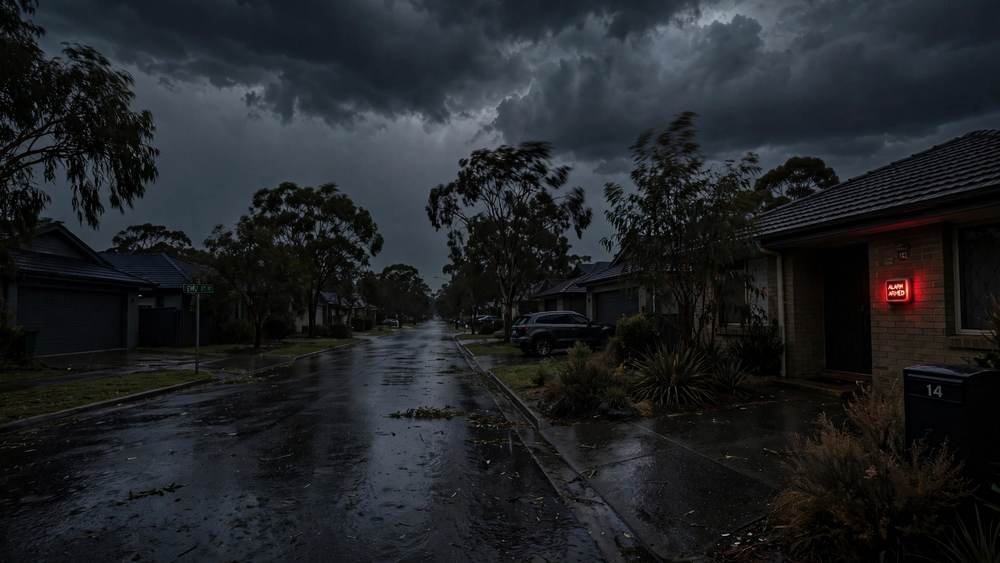
An alarm system power outage is the test every alarm eventually faces, and the one most households never think about until the lights go out. The good news is that your alarm has a battery for exactly this reason. The bad news is that the battery is the part nobody maintains, and a battery past its best might only hold a charge for 30 minutes rather than a full day — which you will not discover until the first proper blackout.
This guide covers what keeps working when the power goes, what stops first, how long the battery really lasts, and the checks that matter before the next storm. Figures checked on 15 November 2026. Our best home alarm system guide compares the panels behind these batteries.
What keeps working when the power goes out
Most modern alarm systems have a sealed backup battery inside the central panel — usually a 12-volt rechargeable battery — that continually recharges all through the year. The panel automatically switches from mains power to battery power once mains power is disrupted. The battery runs the panel, the keypads, the wired sensors and the sirens for hours on end. For a typical short outage, an hour or two while the network sorts out a fault, you will not notice any difference.
Wireless sensors keep working too, because they run on their own batteries rather than mains power — and the sensors talk to the hub on their own short-range radio, not on your home Wi-Fi, so a dead router does not silence the alarm itself. The siren still sounds. The panel still detects. What changes is only the reporting: without power, the modem is dead, so an internet-only alert path goes silent with it — unless the system has a cellular path to fall back on.
Ajax hubs are the clearest example of the layered design: the Hub 2 Plus runs Ethernet, Wi-Fi and dual-SIM 4G in one panel, with a backup battery rated for about 16 hours, and the Hub 2 holds about 15 hours on its internal battery. The panel keeps detecting locally, and the 4G path keeps reporting to the control room through the outage. That is the shape to look for: detection on battery, reporting on cellular. Our monitored alarm system guide covers who actually needs that 24/7 reporting, and what it costs.
Alarm system power outage: how long the battery lasts
For a typical panel, the backup battery runs 12 to 24 hours, depending on the configuration of the sensors and devices plugged into the central panel — the more appliances, the more power consumed. An Australian installer guide puts it the same way: the battery could run anywhere from 12 to 24 hours, and for the typical short outage you will not notice any difference. Older systems or smaller batteries may only last 4 to 6 hours, while newer high-capacity models can continue for up to 48 hours under optimal conditions.
What shortens it is load and age. Every extra detector, every keypad, every siren draws power, and a panel feeding many devices drains faster than a panel feeding few. Age matters more: backup batteries last three to five years, sometimes sooner in hot conditions, and a battery that is past its best might only hold a charge for 30 minutes rather than a full day. If the battery was drained heavily, it can take a day or so to fully recharge — and a battery that never reaches full charge is a battery to replace.
If an outage drags on long enough — a big storm that takes days to fix — the backup battery will eventually go flat. When that happens, the panel shuts down. No detection, no siren, no signal. It is just a box on the wall. That is the honest limit of a battery, and the reason the battery’s age matters more than its specification: a new 12-volt 7Ah battery at $25.99 is a day of protection, and an old one is a guess.
Alarm system power outage: what stops first
The first thing to stop is not the alarm. It is the reporting. The modem dies with the mains, so an IP-only monitoring path goes silent the moment the power goes. The panel keeps detecting and the siren keeps sounding, but no alert reaches your phone and no signal reaches the monitoring centre. If the system reports over 4G — a communicator with a SIM, or a hub like the Ajax Hub 2 Plus — the reporting keeps going, because the cellular path has its own power in the panel battery.
The second thing to stop is the cameras. Cameras and their recorder run on mains power, and a camera system with one recorder and up to eight cameras needs a 2000VA UPS to keep running for more than an hour in a power cut. Without a UPS, the cameras go dark with the house — which is why a camera is not a substitute for an alarm in a blackout, and why the alarm’s battery matters more than the camera’s.
The third thing to stop is the app control that depends on the home network. The sensors talk to the hub on their own radio, so they still work if the Wi-Fi drops — but without Wi-Fi or mobile data, no alert reaches your phone. Some kits add a cellular backup; most budget DIY kits do not, so a dead modem means a silent phone. The alarm itself is fine. The knowledge of it is what goes dark.
The UPS question: what to back up, and what not to
A UPS — an uninterruptible power supply — is a battery for everything else in the house. The question is what deserves one. The modem and router deserve one first: a small UPS on the modem keeps the internet path alive through a short outage, which keeps the alerts flowing. The alarm panel already has its own battery, so it does not need a UPS — and putting the panel on a UPS can hide a failing panel battery, because the panel never has to use its own.
The camera recorder deserves one second, if the cameras matter to you: a 2000VA UPS keeps a typical camera system with one recorder and up to eight cameras running for more than an hour in a power cut. More than that is a generator’s job, not a UPS’s. The honest rule is to back up the reporting path — modem, router, and the communicator’s power if it has its own — and let the alarm look after itself on its own battery, which is what the battery is for.
What not to back up is the alarm panel itself. An alarm system power outage is exactly what the panel battery is for, and putting the panel on a UPS hides the battery’s condition: the panel never has to use its own battery, so a failing battery goes unnoticed until the UPS dies too. The panel battery is the test as well as the protection — a battery that is never used is a battery that is never proven. Let the panel run on its own battery in an outage, and let the UPS look after the modem, the router and the recorder instead.
The test that matters: unplug it on purpose
This test is the one alarm system power outage check most households never do, and it takes ten minutes. On a Saturday morning, unplug the panel’s mains power — not the battery, the mains — and watch. The keypad should stay lit. The app should report the panel on battery. Arm the system, trip a sensor, and confirm the siren sounds and the app alert arrives. Then check the reporting path: if the system is monitored, tell the centre before you test, or the test becomes a patrol attendance with a bill attached.
Time the test. Note when you unplugged it, and watch how long the panel holds. A healthy battery holds 12 to 24 hours; a battery that dies within an hour or two is a battery to replace now, not at the next service. Check the panel battery’s voltage if you own a multimeter: a healthy alarm battery should maintain around 12 volts when fully charged, and a little over 13 volts just after charging. Anything significantly lower suggests reduced capacity.
Then restore the mains and watch the recharge. If the battery was drained heavily, it can take a day or so to fully recharge. If it never reaches full charge, replace it. Write the date on the new battery with a marker — the install date is the schedule, and the schedule is the protection.
Storm preparation: the hour before the blackout
When a storm is forecast, the preparation takes ten minutes. Check the panel battery’s age: if it is past four years, replace it before the storm, not after. Check the sensor batteries in the app. Charge the phone. Confirm the monitoring centre has the right keyholders — the neighbour who is home, not the one who is away. And confirm the 4G path works: if the system has a cellular communicator, the reporting survives the modem dying, which is the most common failure in a storm.
During the outage, do not keep tripping the alarm to test it: every siren blast drains the battery faster. Arm it, leave it, and let it do its job. If the power stays out for days, the battery will eventually go flat — and when it does, the house needs its physical security instead: locked doors, sensor lights on battery, and a neighbour watching. A battery is a day of protection, not a week of it. Keep the panel manual where you can find it in the dark: the keypad code for silencing a false alarm is the one thing nobody remembers at 2 am.
Frequently asked questions
Does a home alarm work during a power outage in Australia?
Yes — in an alarm system power outage, the panel switches to its backup battery automatically and keeps detecting, sounding the siren and running the sensors. A healthy 12-volt battery runs the panel for 12 to 24 hours. What usually stops is the reporting: an internet-only alert path dies with the modem, unless the system has a 4G communicator to fall back on.
How long does an alarm battery last in a blackout?
Twelve to 24 hours for a typical panel on a healthy battery, depending on how many sensors and devices it powers. Older systems or smaller batteries may last only 4 to 6 hours, and a battery past its best might hold a charge for only 30 minutes. Ajax Hub 2 Plus holds about 16 hours on its internal battery.
What should I do when the power goes out and my alarm beeps?
A beep usually means the panel is on battery and reporting the outage — that is normal. Check the app to confirm the panel is on battery power, and do not keep tripping the alarm to test it, because every siren blast drains the battery. If the beeping continues after power returns, the battery may need replacing.
Do security cameras work during a power outage?
Not without a UPS. Cameras and their recorder run on mains power, and a 2000VA UPS keeps a typical camera system with one recorder and up to eight cameras running for more than an hour. The alarm is the better blackout device — it has its own battery by design.
How often should I replace my alarm backup battery?
Every three to five years, or at year four on a schedule — whichever comes first. A 12-volt 7Ah replacement costs $25.99. Write the install date on the battery, test it by unplugging the mains once a year, and replace it if it dies within an hour or two instead of lasting the day.
Figures checked 15 November 2026 from Alarm Express, CTC Communications and Australian installer guides. Planning figures, not quotes. External price source: Alarm Express power outage guide.