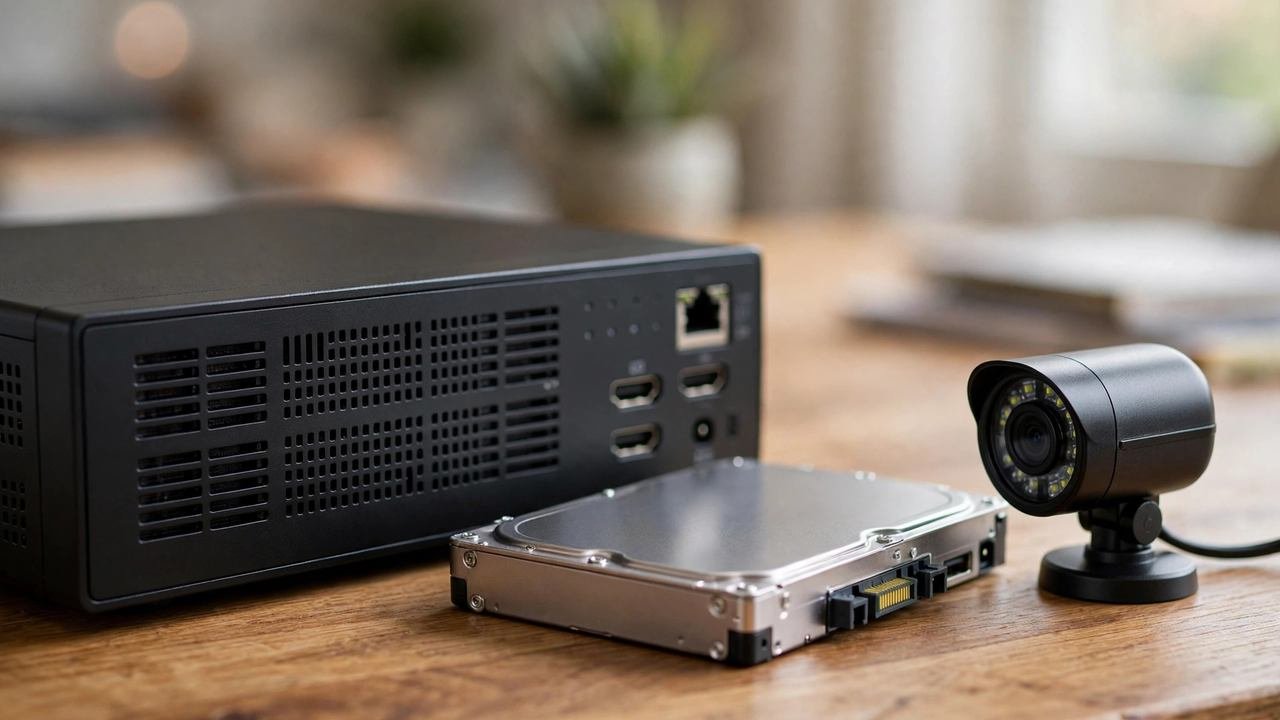
If you’re deciding how to store security camera footage in Australia, you have five realistic options — and the choice matters more than most buyers expect. Every camera has to put its footage somewhere: on a hard drive in your home, on a memory card in the camera itself, or on a company’s servers accessed via subscription. Where it goes determines your ongoing costs (anywhere from zero to over $1,000 across five years), whether recording survives an internet outage, and who can access footage of your family.
This guide compares every realistic option — local NVR, microSD cards, NAS, cloud subscriptions and hybrid setups — with current Australian pricing, retention maths and honest trade-offs, so you can match the storage to your household instead of your camera brand’s default.
The Five Ways to Store Security Camera Footage
Before comparing, here’s the full menu. Most Australian households end up with one of these:
- NVR with hard drive (local): a network video recorder — a small box, usually near your modem — that continuously records every camera to an internal hard drive. The professional standard. No subscription.
- microSD card in the camera (local): each camera records to its own memory card. Common in Eufy, Reolink and TP-Link Tapo cameras. No subscription, but limited capacity per camera.
- NAS — network attached storage (local): recording to a home server like a Synology. Popular with tech-comfortable households that already run a NAS.
- Cloud subscription: footage uploads to the manufacturer’s servers — Ring, Arlo, Google Nest. Monthly or annual fee, priced per device or per household.
- Hybrid: local recording as the primary store, with important clips backed up to the cloud. The best of both, with a small ongoing cost.
How Much Footage Do You Actually Need to Keep?
Start here, because retention needs drive everything else. Ask yourself what the footage is for:
- Break-in investigation: most burglaries are discovered within hours or days. Police typically work with footage from the first 72 hours.
- Insurance claims: insurers generally want footage from around the time of the incident — 30 days of retention comfortably covers this.
- Package theft / neighbour disputes: usually noticed within a week or two.
- “Just in case” archiving: beyond 30 days, almost nobody ever watches the footage. You’re paying to store video you’ll never review.
For the overwhelming majority of households, 30 days of retention is the sweet spot — long enough for any realistic investigation or claim, short enough to keep storage costs sane. Anyone selling you 180 days of history is selling peace of mind, not utility. (It’s also worth noting the privacy angle: holding months of footage of your family’s movements creates a data store worth protecting. The OAIC’s guidance on data minimisation at oaic.gov.au makes the same point in general terms — keep what you need, not everything.)
Retention Math: How Many Days Per Terabyte?
Storage math is where buyers get tripped up, so here are the rules of thumb for continuous 24/7 recording:
- 2TB drive, one camera at 1080p: roughly 30 days
- Add a second camera: ~15 days. Four cameras: ~7–8 days.
- Step up to 4K (8MP): roughly quarter the retention — that 2TB drive gives a single 4K camera about a week.
- 8TB drive, four cameras at 1080p: roughly a month. This is the common “set and forget” configuration.
- Motion-only recording (typical for wireless cameras) uses far less — a 128GB microSD card can hold weeks of motion clips, since the camera isn’t recording empty rooms at 3am.
All local systems use circular recording: when the drive fills, the oldest footage is automatically overwritten. If something happens, export the clip promptly — don’t assume it’ll still be there in three weeks on a small drive.
Local Storage: NVRs, microSD and NAS
NVR with hard drive — the default for wired systems
An NVR is a purpose-built box that does one job: record your cameras, all day, every day, with no internet required. A 4- or 8-channel NVR with a 2TB drive costs roughly $350–$450 in Australia; stepping up to 4TB adds about $100–$150, and 8TB drives run $250–$300. The NVR usually comes bundled with professionally installed systems, so many buyers never price it separately.
Strengths: no monthly fees, ever. Recording continues through internet outages — the cameras and NVR talk over your home network, not the NBN. You own the hardware and the footage outright, which also means stronger legal protection: accessing it requires physical access or a warrant, not a subpoena to a tech company. Footage export is straightforward via the NVR’s app or a USB stick.
Weaknesses: the hardware is a single point of failure. If a burglar steals the NVR (rare, but it happens — hide it somewhere non-obvious, not next to the TV), the footage goes with it. Hard drives wear out: budget for a replacement roughly every 4–6 years ($100–$150). And remote viewing while you’re away needs either the manufacturer’s relay service or some network configuration — it’s usually handled by the app these days, but it’s less seamless than cloud-native systems.
microSD cards — the wireless camera standard
Eufy, Reolink and TP-Link Tapo cameras record motion clips to a memory card in the camera or its base station. A 128GB high-endurance card costs around $25–$40; “high-endurance” matters because standard cards wear out fast under constant writing — expect to replace cards every 2–3 years.
Strengths: zero ongoing cost, dead simple, and each camera is independent — one camera failing doesn’t affect the others. Eufy’s HomeBase takes this further with centralised local storage for all its cameras.
Weaknesses: limited history (days to a couple of weeks of clips, depending on activity), and the footage lives in the camera — if the camera is stolen or destroyed, so is the evidence. Fine for doorbells and light coverage; thin as a whole-property solution.
NAS — for the tech-comfortable
If you already run a Synology or similar NAS, most support camera recording via their surveillance apps. It reuses hardware you own and gives you RAID redundancy (one drive can fail without losing footage). The catch: NAS surveillance software often charges per-camera licences (Synology includes two free, then charges per additional camera), and setup is genuinely fiddly. This is an enthusiast option, not a mainstream one.
Cloud Storage: What the Subscriptions Actually Cost in Australia
Cloud plans are where the money quietly goes. Here are the current Australian prices (2026) for the major brands:
- Ring: plans were renamed in January 2026. Ring Solo is $4.95/month ($49.95/year) per device; Ring Multi is $14.95/month for unlimited devices. Video history: 180 days. Without a plan, Ring cameras don’t record video at all — they become live-view cameras.
- Arlo Secure: $7.99/month per device, or $12.99/month for unlimited devices. Video history: 30 days.
- Google Nest Aware: around $8/month ($80/year), 30 days of event history. Required for face recognition and intelligent alerts.
- Eufy CloudPlay (optional): from around $2.99/month for a single camera — but it’s optional, since Eufy records locally for free.
Strengths: footage survives even if cameras are stolen or the house burns down. Remote access is seamless — open the app anywhere in the world. No hardware to maintain, no drives to replace, and setup is genuinely easy. For renters with one or two cameras, cloud is often the pragmatic choice.
Weaknesses: the cost compounds. Three cameras on Arlo’s per-device plan is $7.99 × 3 × 12 = $287.64 a year — $1,438 over five years. The economics turn against cloud quickly as camera counts rise; the crossover where local storage wins is roughly the second camera for Ring and the first for Arlo. There’s also the outage problem: when your NBN drops — and regional Australians know this happens — cloud cameras stop recording entirely. And your family’s comings and goings sit on someone else’s servers, subject to their security practices, their price rises, and their terms.
5-Year Cost Comparison (AUD)
Putting hardware and subscriptions together for realistic setups:
- 2-camera Eufy, microSD local: ~$400 hardware + $0 = ~$400
- 2-camera Ring, Ring Solo plans: ~$350 hardware + $594 subscriptions = ~$944
- 4-camera Arlo, Secure Unlimited: ~$700 hardware + $779 subscriptions = ~$1,479
- 4-camera Arlo, per-device plans: ~$700 hardware + $1,918 subscriptions = ~$2,618
- 4-camera wired NVR system (installed): ~$2,000 installed + one replacement drive (~$130) = ~$2,130
- 4-camera wired NVR + optional cloud backup ($40–$100/yr): ~$2,000 + ~$350 = ~$2,350
The pattern: one or two cameras with local storage is by far the cheapest. At four cameras, professionally installed local storage costs about the same over five years as a mid-tier cloud setup — and from year six onward, local pulls ahead permanently because the subscriptions never stop.
The Hybrid Approach: Local First, Cloud as Backup
The setup security-conscious buyers are increasingly choosing: record everything locally to an NVR (or microSD), and back up only important clips — motion events, alarm triggers — to the cloud. Some brands support this natively; otherwise it’s as simple as the app’s clip-sharing or a small optional cloud plan ($40–$100/year).
Hybrid protects against both failure modes: if the internet drops, local recording continues; if someone steals the NVR, the cloud copies survive. It costs a fraction of full cloud storage because you’re uploading clips, not 24/7 streams. For a four-camera home, it’s arguably the best answer — and it’s the configuration most “local vs cloud” debates skip entirely.
Which Storage Suits Your Household?
- Renter, 1–2 cameras: microSD local (Eufy/Reolink/Tapo) — cheapest, no installation, take it with you. Cloud only if you specifically want off-site backup.
- Owner, 2–3 cameras, light coverage: local storage still wins on cost. A small NVR or microSD-based system with 30-day retention.
- Owner, 4+ cameras, whole property: NVR with 4–8TB. The five-year maths favours it, reliability is highest, and you own everything.
- Frequent traveller / multiple properties: cloud or hybrid — the remote access and off-site protection matter more to you than the subscription cost.
- Maximum resilience, budget secondary: hybrid — NVR primary with cloud backup of events.
Whatever you choose, pair it with sensible camera placement — the best storage in the world can’t fix a camera pointed at a fence. And if you haven’t bought the system yet, our cost breakdown shows what each setup should cost in 2026.
Frequently Asked Questions
How can I store security camera footage in Australia without a subscription?
Three subscription-free options: a wired NVR system recording to a local hard drive (no fees ever), cameras with microSD cards (Eufy, Reolink, TP-Link Tapo record locally for free), or a home NAS. All keep your footage in your home with zero ongoing cost.
How long does a 2TB hard drive last for security cameras?
A 2TB drive holds roughly 30 days of continuous 1080p footage from one camera. Each additional camera halves that — four cameras gives about a week. At 4K resolution, retention is roughly a quarter of 1080p. Motion-only recording extends retention significantly.
Do security cameras still record when the internet goes out?
Local systems (NVR, microSD) keep recording through internet outages as long as they have power — the cameras talk to the recorder over your home network. Cloud-dependent cameras (Ring, Arlo, Nest) stop recording and uploading when the internet drops, which is a real consideration in areas with unreliable NBN.
Is cloud or local storage better for security cameras?
Local storage wins on cost (no subscriptions), reliability during outages, and privacy — you own the footage. Cloud wins on off-site protection (footage survives stolen cameras), seamless remote access, and simplicity. For 3+ cameras, local is usually cheaper over five years; a hybrid of both covers every failure mode.
How much does Ring cloud storage cost in Australia?
In 2026, Ring Solo costs $4.95/month ($49.95/year) per device and Ring Multi costs $14.95/month for unlimited devices, with 180 days of video history. Without a plan, Ring cameras provide live view only — no video recording.
Sources
- KeldCo — Ring vs Arlo vs KeldCo (2026 AU plan pricing in AUD): keldco.com
- Best Picks Australia — Ring subscription cost Australia 2026 (plan rename details): bestpicks.com.au
- Smart Home Explorer — Security camera storage 5-year cost comparison: smarthomeexplorer.com
- Mid North Security Technologies (AU) — Cloud CCTV vs NVR: midnorthst.com.au
1 thought on “Security Camera Storage Australia: Local vs Cloud Compared”